Obfuscating Customer and Order Data
ShopCtrl can obfuscate personal data in inactive customer and order records to support data retention policies and privacy compliance. Obfuscation replaces personally identifiable information (names, addresses, phone numbers, email addresses) with placeholder values while preserving the record structure for reporting and auditing purposes.
Obfuscation is available from both the customer and the order level, and can be triggered manually or run automatically as a scheduled night task. Unlike GDPR anonymization, it respects eligibility rules and does not affect active records.
Obfuscation cannot be undone. Once executed, the original personal data is permanently replaced.
What Data Gets Obfuscated
When obfuscation runs, the following data is affected:
| Data | What happens |
|---|---|
| Contact information (name, company, address, postal code, phone numbers, VAT number) | Replaced with "GDPR: removed" |
| Email addresses | Replaced with removed@gdpr.eu |
| Contact persons | Name and email anonymized, contact marked as deleted |
| Email messages | Subject, content, and addresses anonymized. Content is only anonymized for emails sent to a single recipient; emails with multiple recipients retain their content |
| Chat messages | Customer messages anonymized; customer name, email, and phone removed from conversations |
| Order and offer notes | Prefixed with a GDPR timestamp |
| Attached files | Shipping labels, pick lists, packing slips, and VoIP recordings are deleted |
| Search index | Full-text search content cleared for affected customers, orders, invoices, mail, and tickets |
Invoice documents are not deleted during obfuscation, as they may be required for legal and accounting purposes.
Setting Up Scheduled Obfuscation
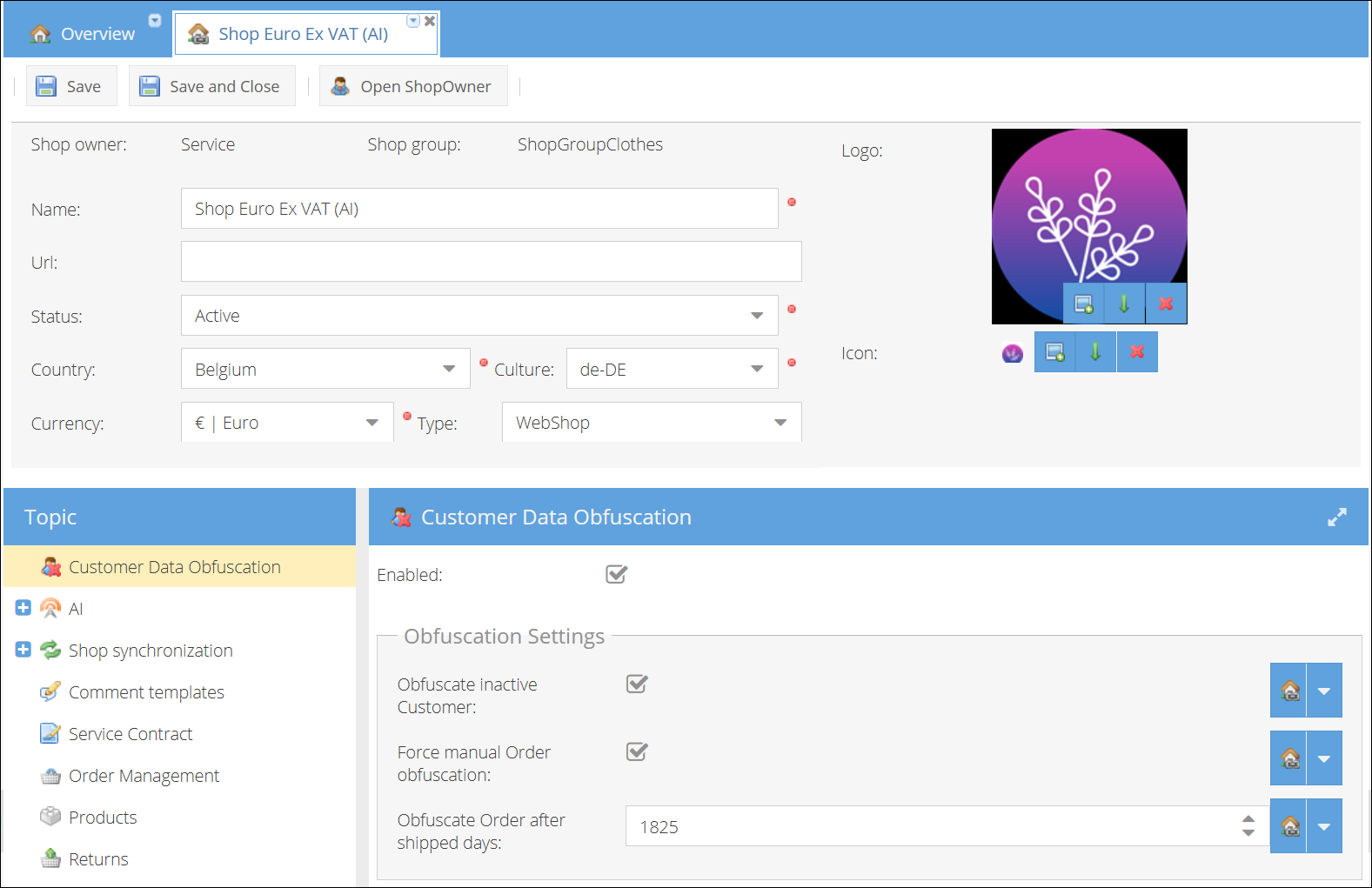
Obfuscation is controlled by the Customer Data Obfuscation app module, which is configured per shop. To access these settings, go to the app module configuration for your shop.
To set up automatic obfuscation for a shop:
- Log in as a user with shop admin permissions.
- Turn on the Enabled toggle. This is a master switch for the feature — both manual and scheduled obfuscation require it to be on.
- Choose whether to obfuscate customer records along with their orders by setting Obfuscate Inactive Customer. When enabled, both customer and order data are obfuscated together. When disabled, only order data is obfuscated, and customer records are left intact.
- Configure how manual obfuscation behaves with Force Manual Order Obfuscation. When enabled, manually triggered obfuscation from an order page processes the order regardless of its age or shipment status. When disabled, the order must meet the same eligibility rules as the scheduled task.
- Set the Obfuscate Order After Shipped Days field to the number of days after shipment before an order becomes eligible for obfuscation. This value must be greater than 0 for the scheduled task to find eligible orders. It also applies to the manual eligibility check when Force Manual Order Obfuscation is off.
Once configured, the scheduled task runs automatically outside working operational hours. For each shop with obfuscation enabled, it retrieves eligible orders, obfuscates them, and — if Obfuscate Inactive Customer is enabled — also obfuscates any associated customers that meet the eligibility criteria.
Manual Obfuscation
From a Customer Record
- Go to Sales > Customers.
- Open the customer record.
- In the topic menu, select Customer Data Obfuscation.
- Make sure Obfuscate Enabled is checked. If it is not checked, the Obfuscate button is disabled.
- Click Obfuscate.
- Confirm the action in the dialog.
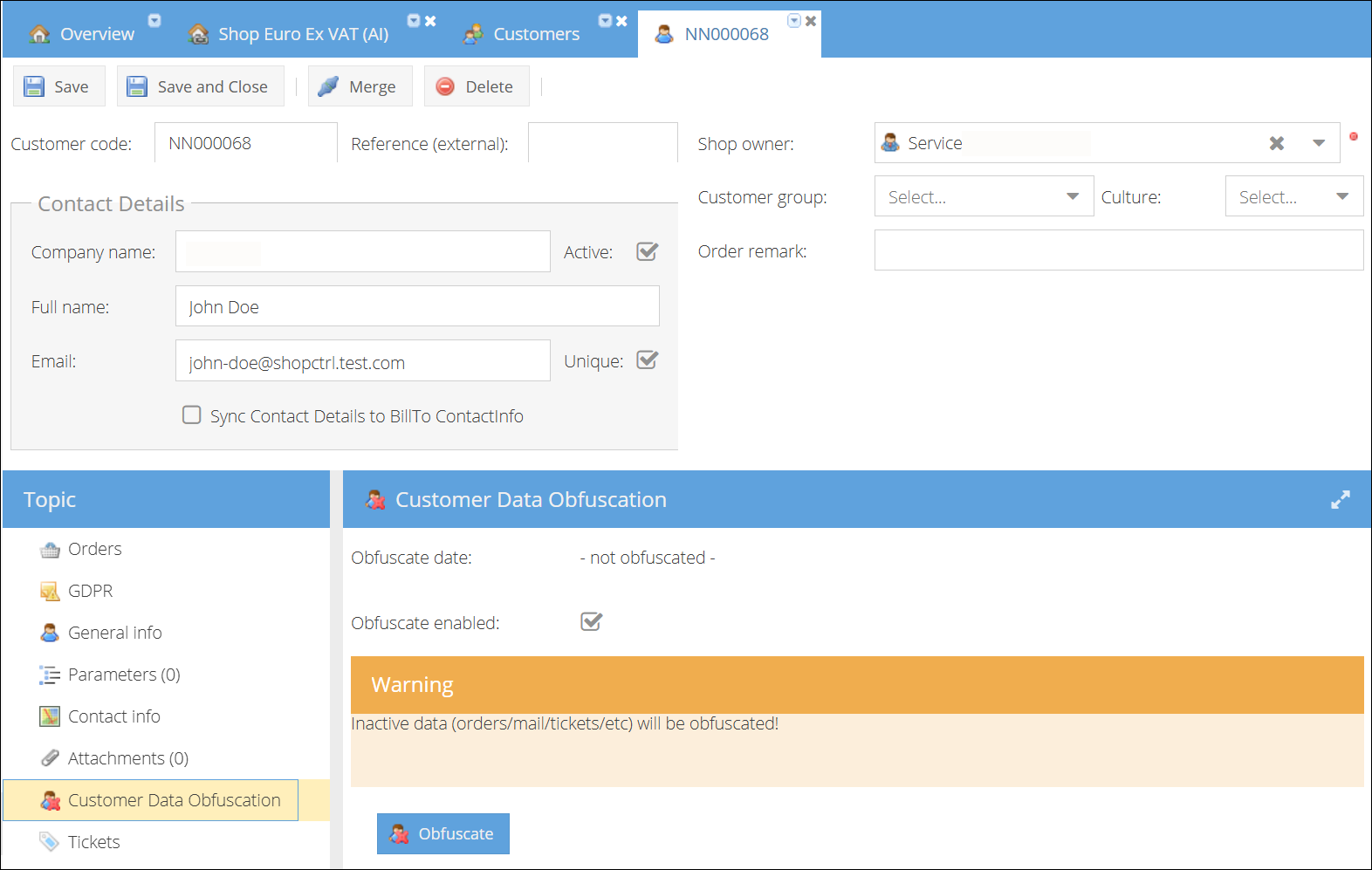
When obfuscating from the customer level, ShopCtrl gathers all eligible orders across all shops for that customer and obfuscates them. If the Obfuscate Inactive Customer setting is enabled and the customer meets the eligibility criteria, the customer record is obfuscated as well.
After the operation, either the page refreshes (if the customer was fully obfuscated) or a message shows how many orders were obfuscated.
To exclude a specific customer from scheduled obfuscation, uncheck the Obfuscate Enabled checkbox on their Customer Data Obfuscation page. The customer's orders will still be obfuscated if they meet the eligibility criteria, but the customer record itself will not be touched.
From an Order Record
- Open an order record.
- In the topic menu, select Customer Data Obfuscation.
- Click Obfuscate.
- Confirm the action in the dialog.
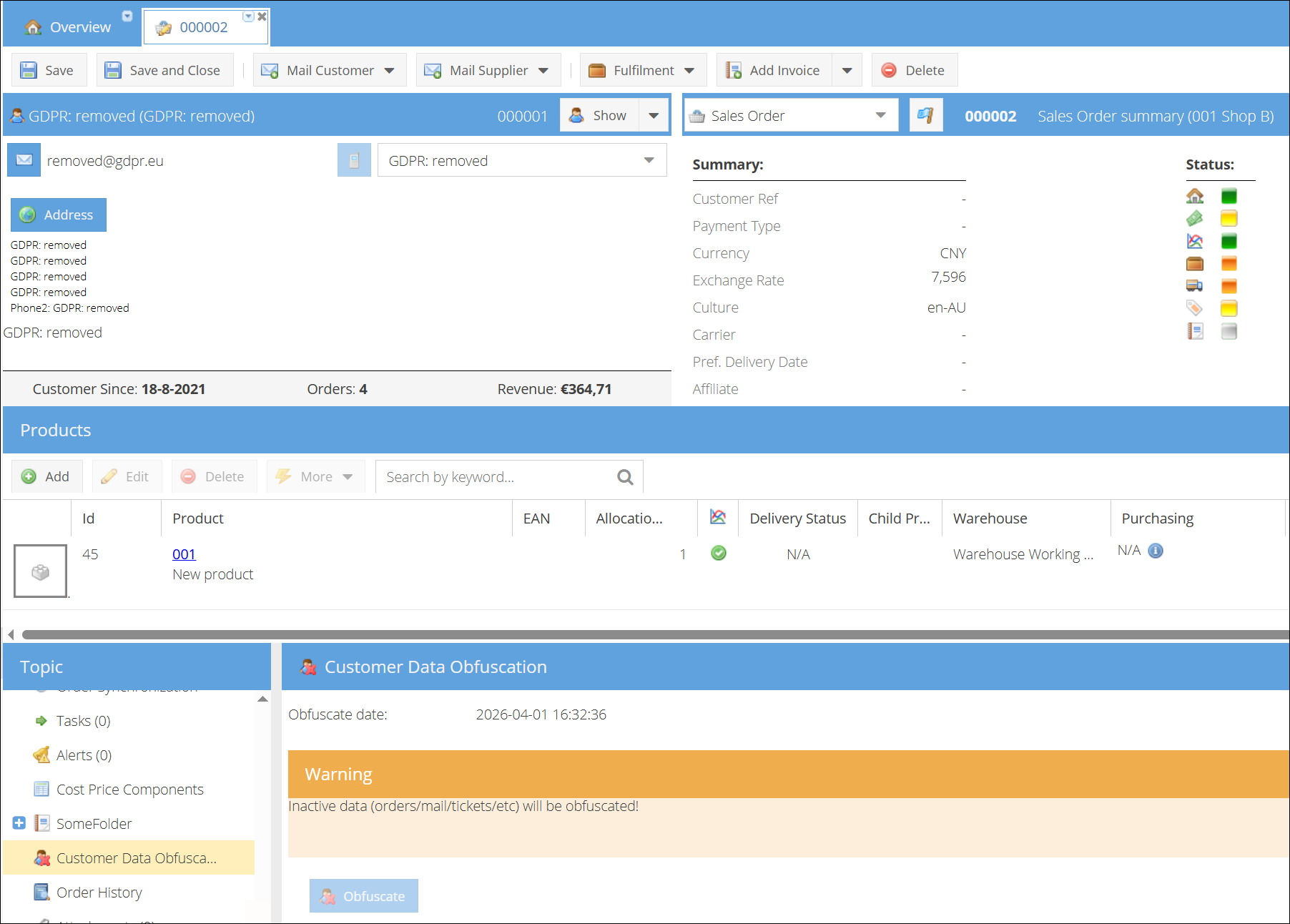
If Force Manual Order Obfuscation is enabled (the default), the order is obfuscated immediately without eligibility checks. If the setting is disabled, the order must meet the same eligibility rules described below, and ShopCtrl displays a warning if the order cannot be obfuscated.
If the Obfuscate Inactive Customer setting is enabled and the associated customer is eligible, obfuscating a single order also obfuscates the entire customer record (including all related orders and data).
Eligibility Rules
Orders
An order is eligible for obfuscation when all of the following are true:
- The order status is Finished or Canceled.
- The order date is older than the configured Obfuscate Order After Shipped Days.
- For finished orders: the most recent shipment activity (shipped, packed, or picked date) is also older than the configured threshold.
- The order has not already been obfuscated.
Customers
A customer is eligible for obfuscation when all of the following are true:
- Obfuscate Enabled is checked on the customer record.
- The customer has not already been obfuscated.
- The customer has no active or paused orders.
- The customer has no active or paused offers.
- The customer has no open tickets (all tickets must be closed).
If a customer has any active orders, offers, or open tickets, the customer record is not obfuscated. Eligible orders for that customer are still obfuscated normally.
Obfuscation vs. GDPR "Forget Me"
ShopCtrl offers two ways to anonymize customer data. Choose the right one for your situation:
| Obfuscation | GDPR "Forget Me" | |
|---|---|---|
| Purpose | Data retention and housekeeping | Responding to a GDPR right-to-be-forgotten request |
| Scope | Customer and/or order level | Customer level only (related orders are also anonymized) |
| Checks active records | Yes — skips active orders, offers, and tickets | No — runs unconditionally |
| Can be scheduled | Yes | No (manual only) |
| Available from order page | Yes | No |
For more information on GDPR processing, see Processing Customer GDPR Requests.