Purchase Order Pricing and Profit Margin Calculations
ShopCtrl manages purchase prices for stock items differently based on whether products are added through built-in purchasing system or externally. This guide explains how exchange rates are applied to purchase orders (POs) and how inverntory costs are calculated.
How Purchase Prices Are Determined
Inventory puchasing costs are calculated differently based on the provisioning method. Products added through ShopCtrl's integrated purchasing system have purchase prices automatically determined by purchase order data. If products are added outside of ShopCtrl—for example, manually or through another system—the purchase price is taken from the supplier price entered on the product details tab.
When a purchase order is in shopowner’s base currency, prices are recorded as-is. But if the PO is in a foreign currency, prices are converted to shopowner base currency using the exchange rate at the time the stock is provisioned.
It is important to note that ShopCtrl does not incorporate shipping costs or purchase order-level discounts into the individual StockItem purchase price. These costs are treated separately and are not included in profit margin calculations for individual products.
Handling Exchange Rate Changes During PO Lifecycle
The prices quoted for purchase order rows in foreign currency remain as is and never change during the PO lifecycle. Only the base currency equivalent may be affected by exchange rate fluctuations.
ShopCtrl applies exchange rates at specific moments during the purchase order lifecycle to ensure accurate cost tracking:
- At Purchase Order creation: The exchange rate at the time the PO is created is recorded at the order level.
- At Delivery creation: When a delivery is initiated, the exchange rate at that moment is captured at the delivery level.
- At stock provisioning: The actual exchange rate at the moment stock enters the warehouse determines the final base currency cost for those items.
Stock item costs are frozen upon delivery. When products are provisioned to your warehouse, their purchase price in base currency is locked using the exchange rate at that time. This is done so that even if the exchange rate on the PO changes later, the cost of items already delivered remains consistent and traceable.
For example, if the exchange rate was 25 when the first delivery occurred, and later decreased to 23 before a second delivery, each delivery’s stock will reflect the rate active at the time of provisioning.
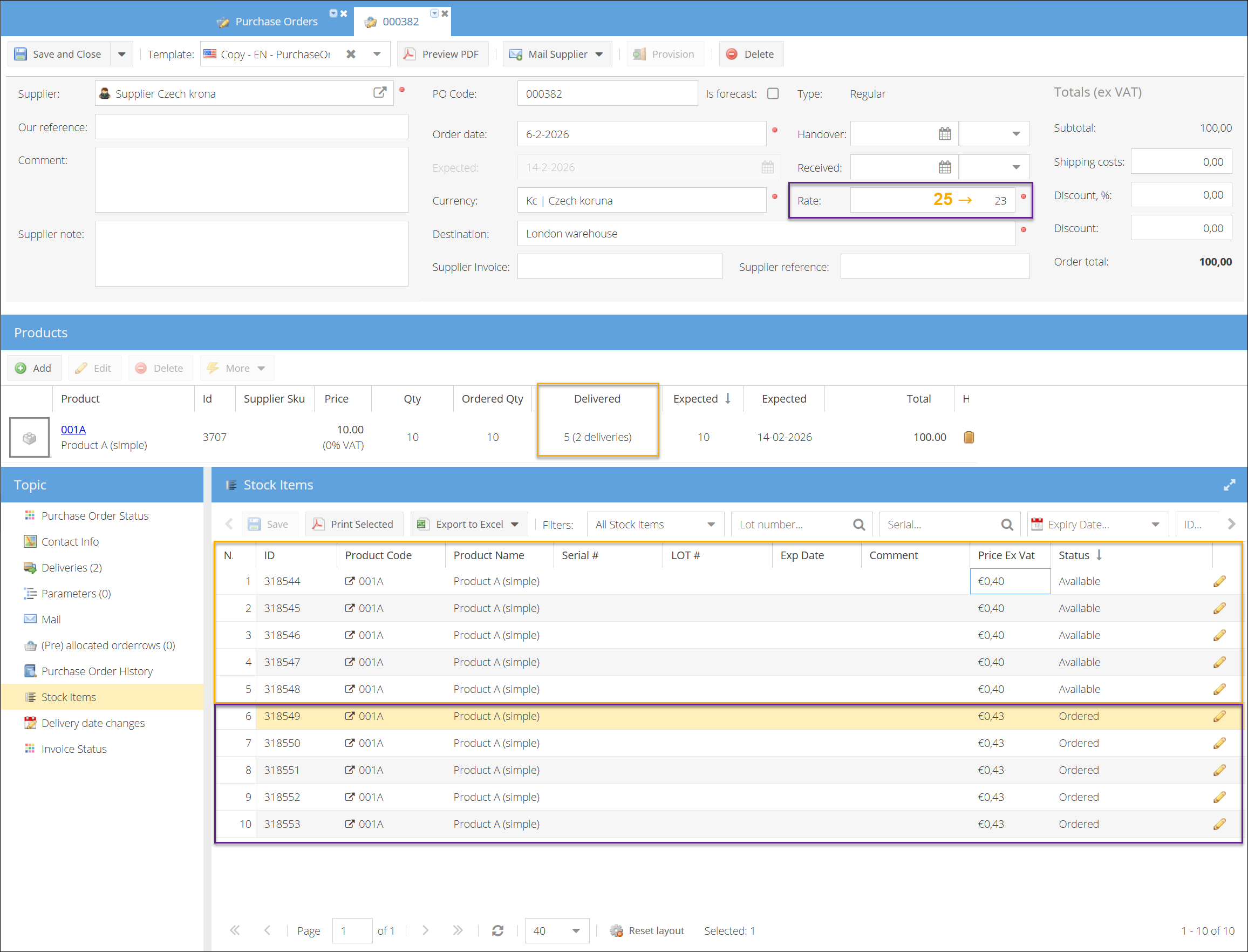
To make this work, ShopCtrl now tracks exchange rates at the delivery level. Each delivery records the rate used at the time of provisioning. If multiple deliveries occur for the same PO at different times, each batch reflects the exchange rate in effect when it arrived.
This means that the sum of your stock item costs in base currency might not exactly match the converted line total on the purchase order if rates changed after some items were delivered. This is expected and ensures accurate cost tracking per delivery.
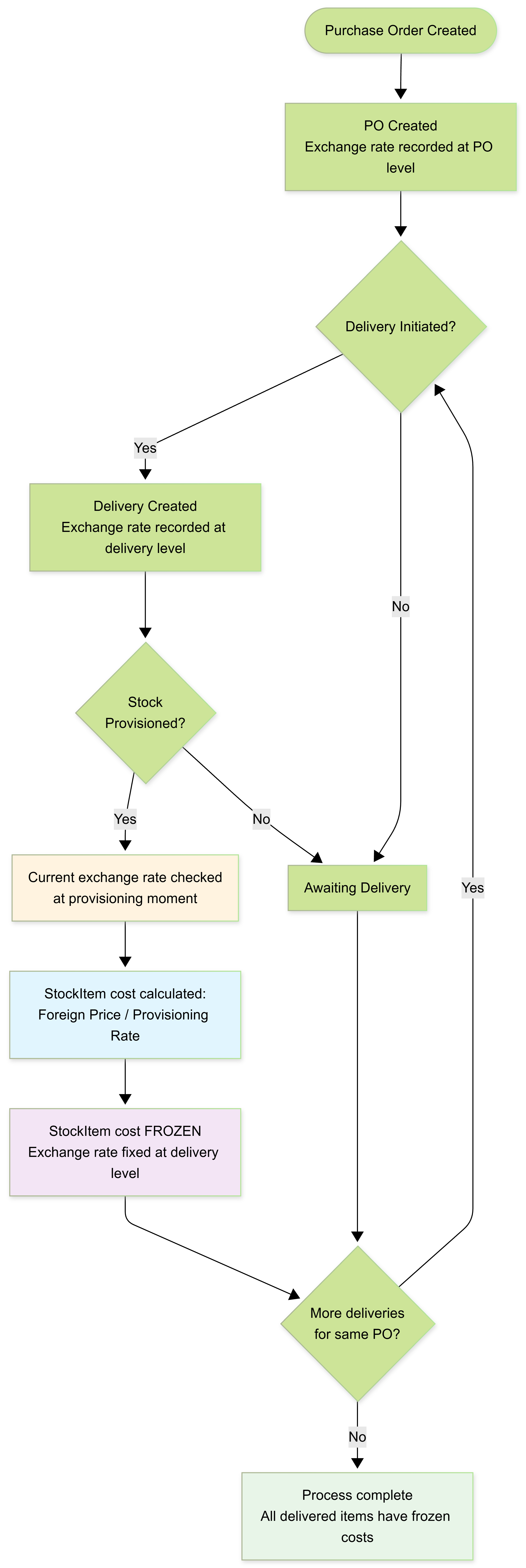
This approach allows ShopCtrl to reflect the actual cost paid for each item entering the warehouse, while keeping the originally quoted foreign prices unchanged.